Import your RBDs: BlockSim, Open-PSA, Galileo and Excel files now open in Reliafy
Years of reliability modelling shouldn't be locked inside one tool. Reliafy can now import block diagrams and fault trees from other software: upload the file, and it opens in the RBD builder as a Reliafy diagram, ready to analyse, edit and save.
What you can import
| Format | Files | How to get the file |
|---|---|---|
| ReliaSoft BlockSim | .rsgz (packed project) · .rsr / .rsrp (standard repository) |
In BlockSim, File › Pack and E-mail gives a single .rsgz file — the easiest route, and it works for enterprise repositories too. We've tested project files from version 8 through to version 2020 |
| Open-PSA | .xml (Model Exchange Format) |
Export from any tool that writes Open-PSA MEF — the nuclear and safety community's open standard, written by tools such as SCRAM and XFTA |
| Galileo | .dft · Storm .json |
The dynamic-fault-tree text format used by DFTCalc, Storm and the FFORT benchmark suite |
| Excel | .xlsx |
A sheet of blocks and a sheet of connections — or one sheet with a "Feeds" column. Start from the template (Download Excel template in the RBDs page's ⋯ menu), or map your own columns |
Diagrams saved as RePyability JSON — including Reliafy's own Download as RePyability JSON — import the same way.
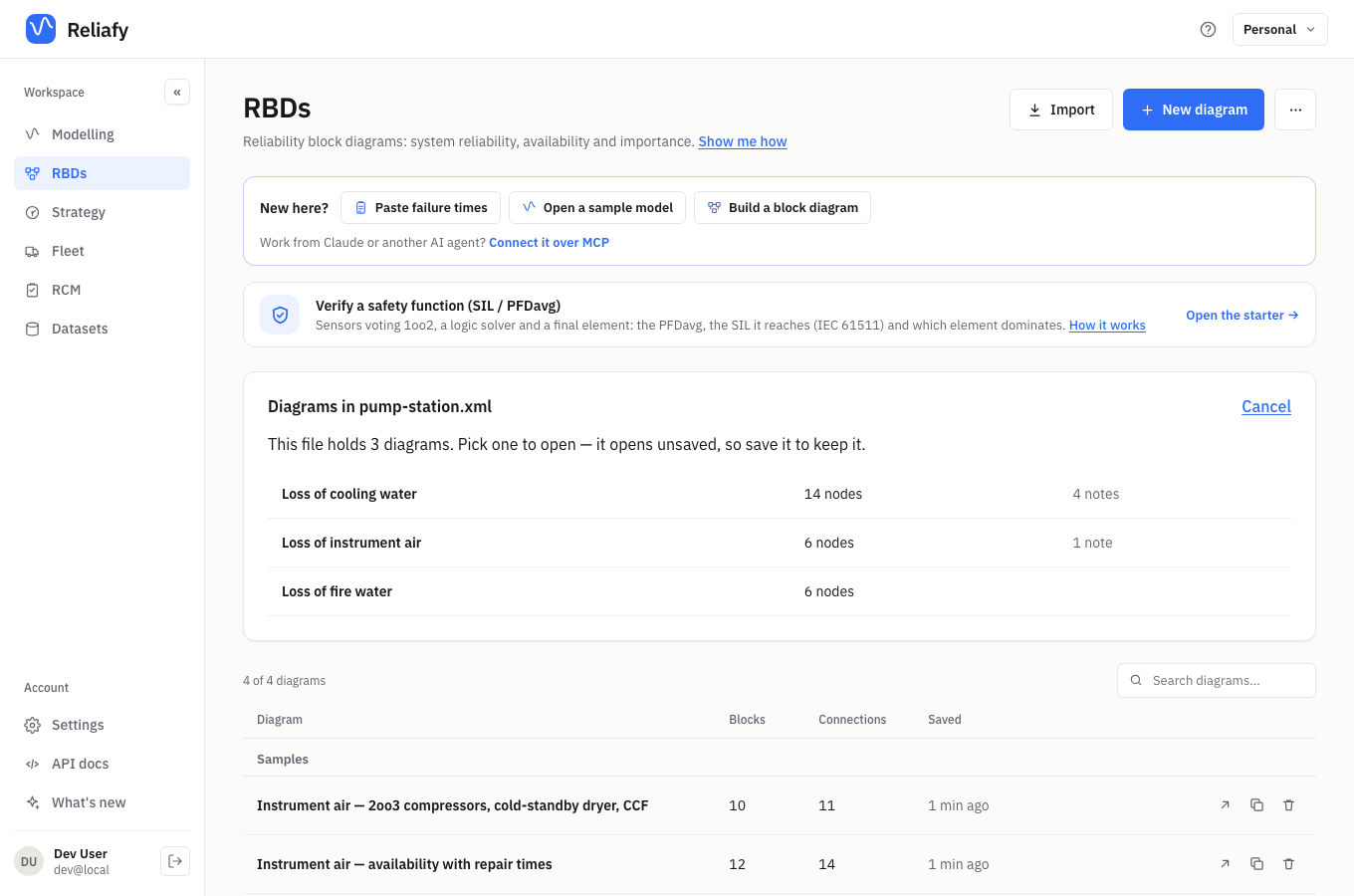
On the RBDs page, click Import and choose the file. A file with several diagrams — a BlockSim project with subsystems, or an Open-PSA model with several fault trees — lists them all, and you pick which to open.
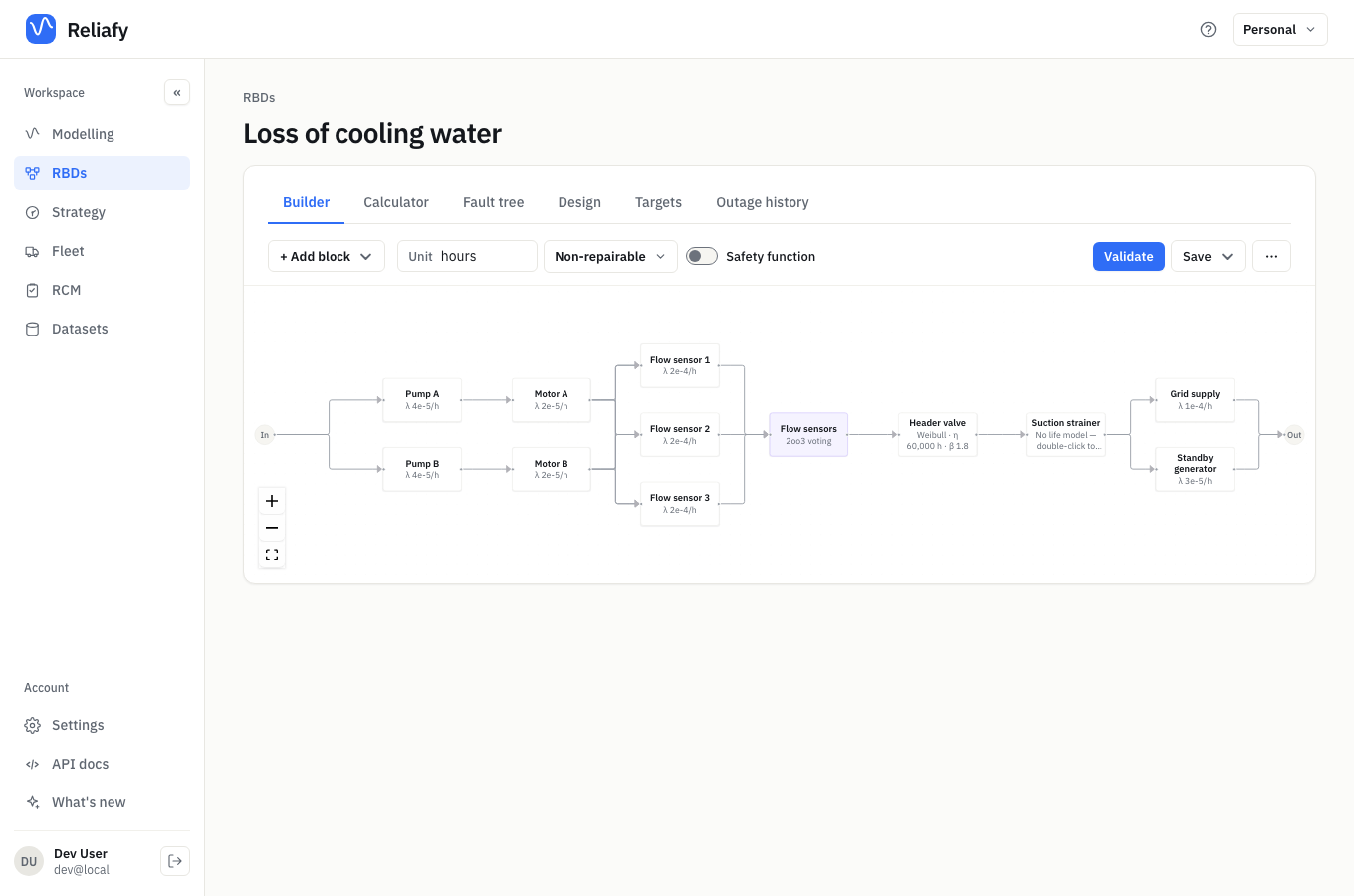
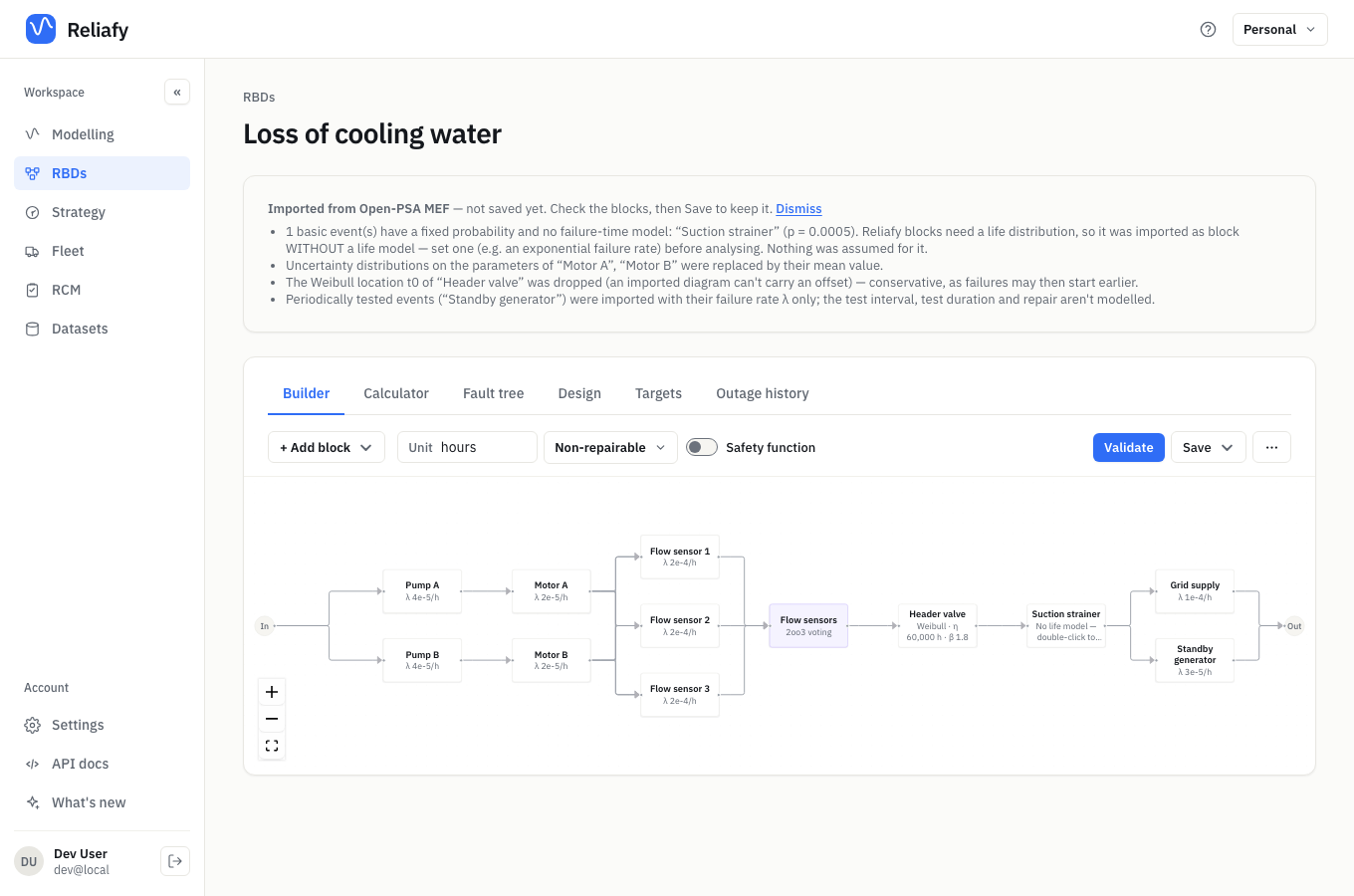
The diagram opens unsaved, with a note of anything that didn't come across, so you can check it before you save.
What comes across
- Structure — blocks, connections, series and parallel paths, k-out-of-n nodes and subdiagrams. A fault tree becomes the equivalent block diagram: OR gates become series, AND gates parallel, and voting gates k-out-of-n.
- Life models — Weibull, exponential, normal and lognormal from BlockSim, with its time units converted to the diagram's; exponential and Weibull lives from Open-PSA and Galileo; and any of Reliafy's distributions from Excel.
- Repairs — repair-time distributions, so a diagram where every block has one imports as a repairable (availability) diagram.
- Redundancy — cold, warm and hot standby, load-sharing groups of identical exponential units (exactly — other load-sharing groups are approximated conservatively, with a note), and blocks repeated or mirrored in several places.
- Common cause — beta-factor and multiple Greek letter groups from Open-PSA models.
What doesn't, and how we tell you
Some things a block diagram can't represent, and Reliafy won't approximate them quietly. Each import comes with a list of what was left out or changed, and why:
- Dynamic fault-tree gates — priority-AND, sequence and functional dependency gates encode order ("A must fail before B"), which a block diagram can't express. Trees that use them — or spares shared between several units — are refused, with the reason named.
- Logistics — BlockSim crews, spare-part pools, and scheduled or inspection tasks are listed but not imported. (Reliafy's own repair crews, proof tests and scheduled replacements can be added afterwards.)
- Other life models — blocks using distributions Reliafy doesn't read from BlockSim yet (such as 3-parameter Weibull or mixed Weibull), and fault-tree events with a fixed probability rather than a failure rate, import with their structure intact but no model, so you can set one. Nothing is invented for them.
- Time units — Galileo files, and Open-PSA files that don't give their rates a unit, don't say what the rates are per. The diagram's unit is left blank, with a note, so you set it before reading any results.
Excel everywhere
Spreadsheets are where a lot of reliability work actually lives, so Excel import isn't only for diagrams:
- Life data — wherever you upload data as a CSV — datasets, fits,
degradation, accelerated-life and recurrent-event studies — you can now
upload an
.xlsx: pick the sheet and header row, and carry on as before. - FMEA and RCM worksheets — map your spreadsheet's columns (Function, Functional failure, Failure mode, Effects, Consequence, Task, Interval…) and it becomes an RCM study. Blank cells carry down the way spreadsheets are usually laid out, and severity, occurrence, detection and RPN can come across in each failure mode's notes.
Checked against published results
An importer is only useful if the numbers come out right, so we tested it against every public model with published answers we could find.
ReliaSoft's published BlockSim examples — 19 of the 20 project files we could retrieve import (the twentieth is a truncated archive copy), and the results match ReliaSoft's worked answers. A system of nested subdiagrams with a 2-out-of-3 node has a reliability at 500 hours of 0.9256557 against their 92.56565%. A component combining load sharing, cold standby and subdiagrams has a reliability at one year of 0.9735168 against their 97.3517%, and a B10 life of 14,715.55 hours against their 14,715.5509.
The FFORT benchmark suite — of the fault trees that can be drawn as block diagrams, every one with an exact published unreliability matches it: 19 of 19, all to at least 11 decimal places.
Four of the FFORT models are built into Reliafy's test suite and checked on every change. The ReliaSoft examples and the rest of FFORT can't be redistributed, so we rerun those checks against our local copies.
Other tools
We'd like to add more. Isograph Availability Workbench, DNV Maros and others don't publish their file formats, so we need real examples to build from. If you use one of them and can share an export of a small or anonymised model — an Excel export is ideal — email hello@reliafy.com and we'll add it to the list.
Import is available to everyone, on every plan. Open the RBDs page and click Import.