Add a common-cause group
Before you start: An RBD with two or more redundant components that share a cause.
Put two pumps in parallel and the arithmetic rewards you handsomely: if each has a 10% chance of failing, the pair has a 1% chance. That's the promise of redundancy, and it rests entirely on an assumption — that the two failures are independent.
Often they aren't. The pumps came from the same batch, share a power supply, sit in the same flood zone, or were commissioned by the same technician on the same afternoon. Any one of those is a common cause: a single event that takes out both units together, which no amount of parallelism can protect against. A common-cause group tells Reliafy to account for it, so your reliability number stops being optimistic in exactly the situations where optimism is expensive.
It works in both kinds of diagram. In a non-repairable diagram it lowers the reliability curve and the MTTF. In a repairable diagram it is followed over time: the long-run availability, A(t), the expected failures and costs, the simulation, the cheapest design and What to improve, where each group's β becomes a lever of its own.
Select the components that share a cause
In the builder, click one redundant component and then shift-click the others. Once two or more components are selected, a Common-cause group button appears at the top of the canvas.
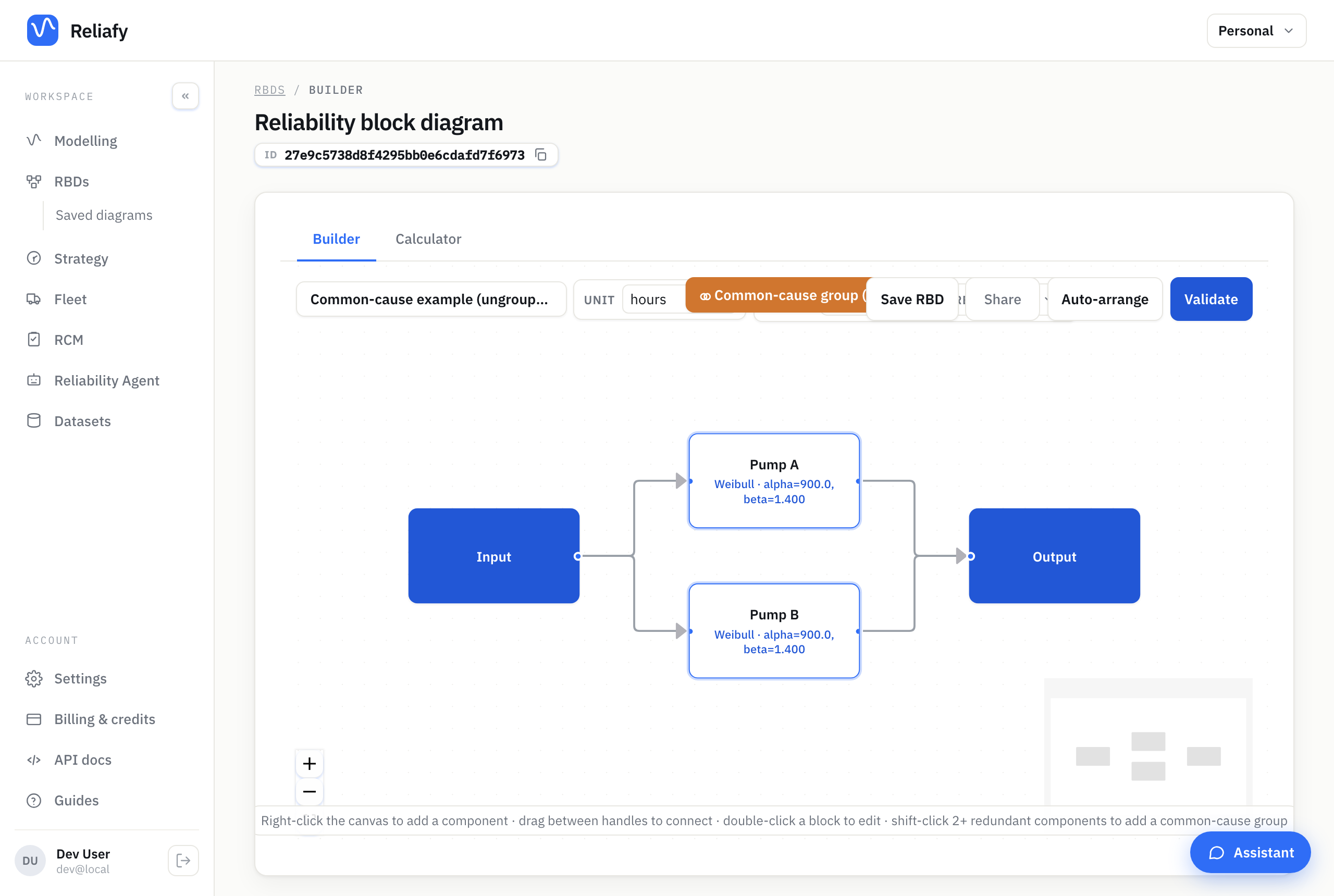
Group only components that genuinely share something — the same design, batch, environment, utility, or maintenance crew. Two pumps from different vendors on separate power feeds are much closer to genuinely independent, and grouping them would understate your system for no reason.
Set the β-factor
The dialog asks for one number: β, the fraction of each component's failures attributable to the shared cause.

The split works like this. Of each component's failures, 1 − β are
independent — those still enjoy the full benefit of redundancy. The remaining
β are common-cause: when one happens it fails every member of the group at
once, so that portion behaves like a single series element the redundancy can't
touch. That's why even a small β puts a floor under the system's failure
probability.
Typical values run from about 1% to 20%, depending on how much the units share. You rarely have a clean estimate from your own fleet — common-cause events are, by design, rare — so practitioners lean on industry data for the equipment class and on an honest assessment of the defences in place (diversity, separation, staggered maintenance). The useful discipline is to pick a plausible β and check whether the design still meets its target. A redundant system that only passes at β = 0 is trusting its redundancy further than the physics allows.
β splits each component's failure rate by default, which holds over the whole life. The dialog also offers the failure-probability split of PRA basic events; keep that for short missions, since over a lifetime it overstates the group's reliability (and the MTTF isn't given with it).
In a repairable diagram β always splits the failure rate, and the group is followed in every figure when its members have exponential lives, no scheduled maintenance, and a repair crew for every repair. Failures found at once need exponential repair times; proof-tested members' repairs may take no time, a fixed time or an exponential one (a 1oo2 with a mean repair time of 8 hours, say). Where that doesn't hold, the group is left out of every figure rather than just some of them, and Validate says why. A safety function's PFDavg still takes the group in wherever its long-run value can: with proof tests that themselves take time, for one, the PFDavg includes the group while the other figures leave it out for now.
A note on symmetry: the β-factor model assumes the grouped units are identical. If their life models differ, Reliafy flags it when you validate — give them the same model for a result that means anything.
Read the impact
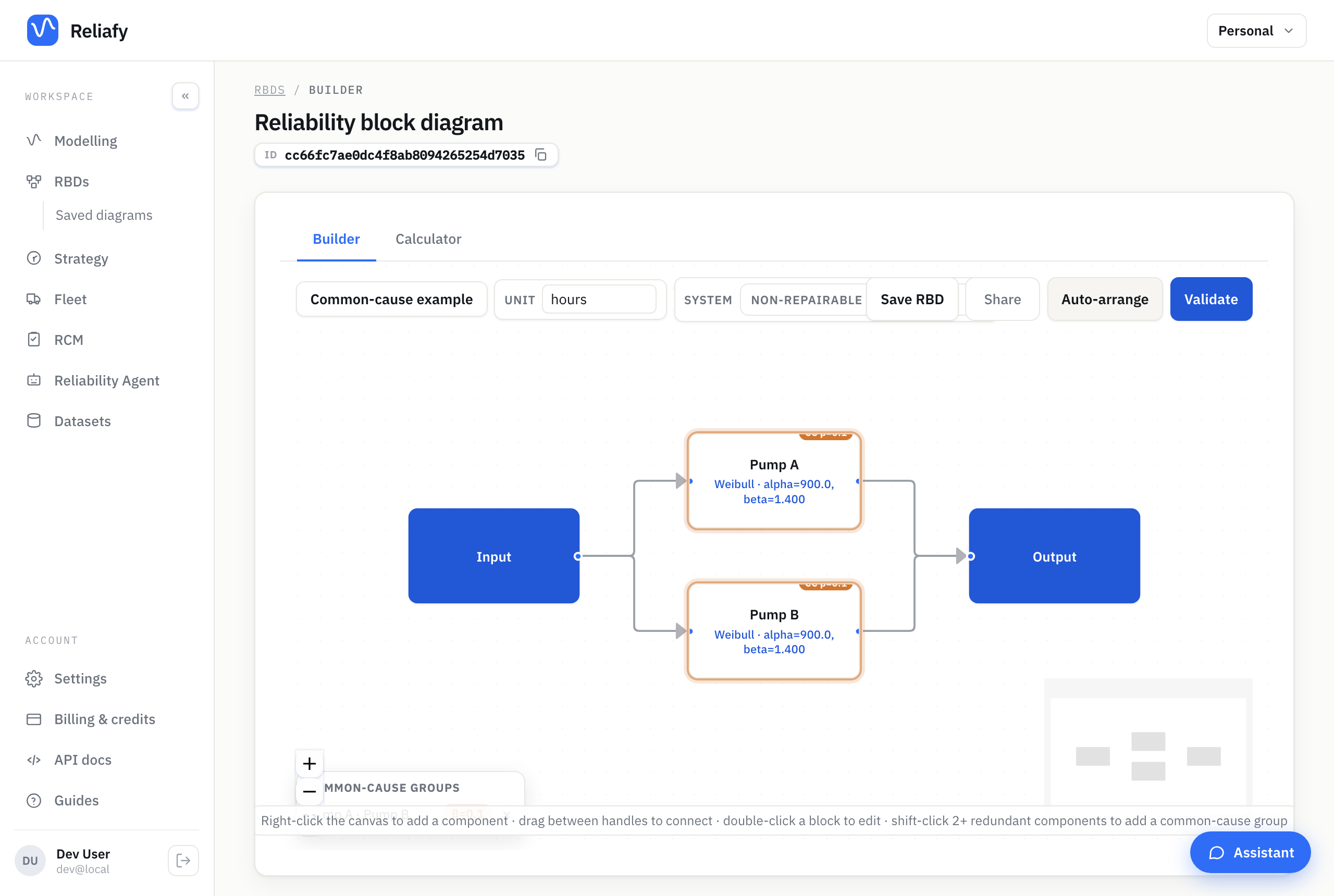
Grouped components carry a ⚭ β chip with the group's β, and the toolbar gains a ⚭ 1 common-cause group chip. Click it for the list of groups, where you can change a group's β or ungroup it.
Validate and calculate, and the results lead with the number worth knowing: the system reliability with the common cause against what you'd have got without it.
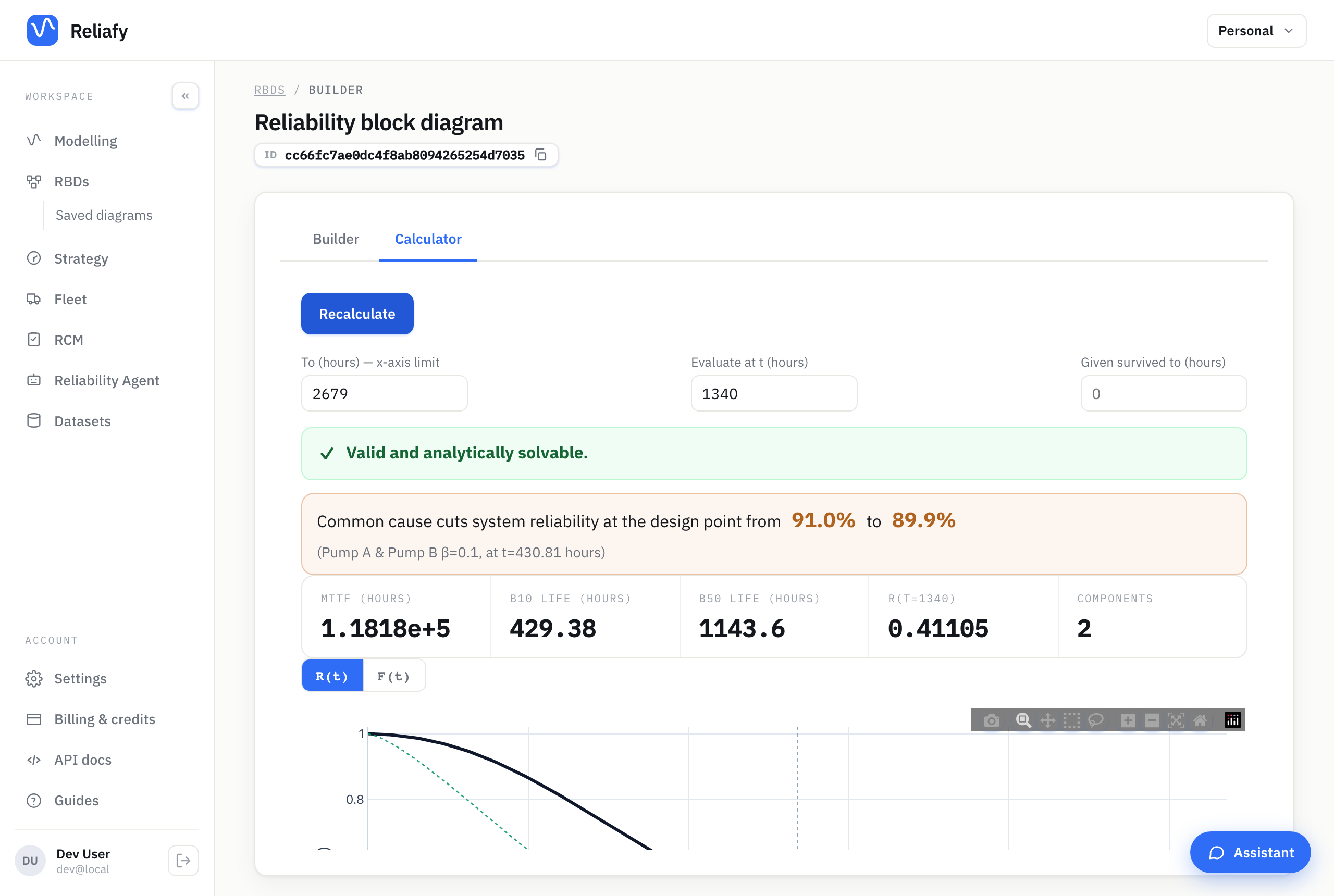
In this example a β of 10% takes the design-point reliability from 91.7% down to 89.9%. A repairable diagram says the same under its availability: the figures include the groups, and the long-run availability without them is alongside. That gap is the cost of the shared cause — the part of your redundancy that was never really there. It's usually larger than people expect, and it's the whole reason the feature exists.
Where to go next
Try raising β and watching the curve: it's the quickest way to see how fast common cause erodes redundancy, and a good sanity check on how much your design depends on the units being truly independent.
The theory — the beta-factor decomposition, worked numbers, and when to reach for the Multiple Greek Letter model instead — is in the Learn article on common-cause failure.